How many hours a week does your HR team lose to manual work? Find out in a free survey (in Polish) →START >>>

Shortcuts

Everyone sees the resources they need. No more searching through emails and browser bookmarks

Shortcuts gather links in Worksmile to company tools and systems and to platform sections. HR organizes them by topic and audience, and each employee gets only what is relevant to them. When a link changes, it only needs to be updated once –⁠ all recipients see the current version right away.

Worksmile on G2: 121 reviews, 4.5 rating
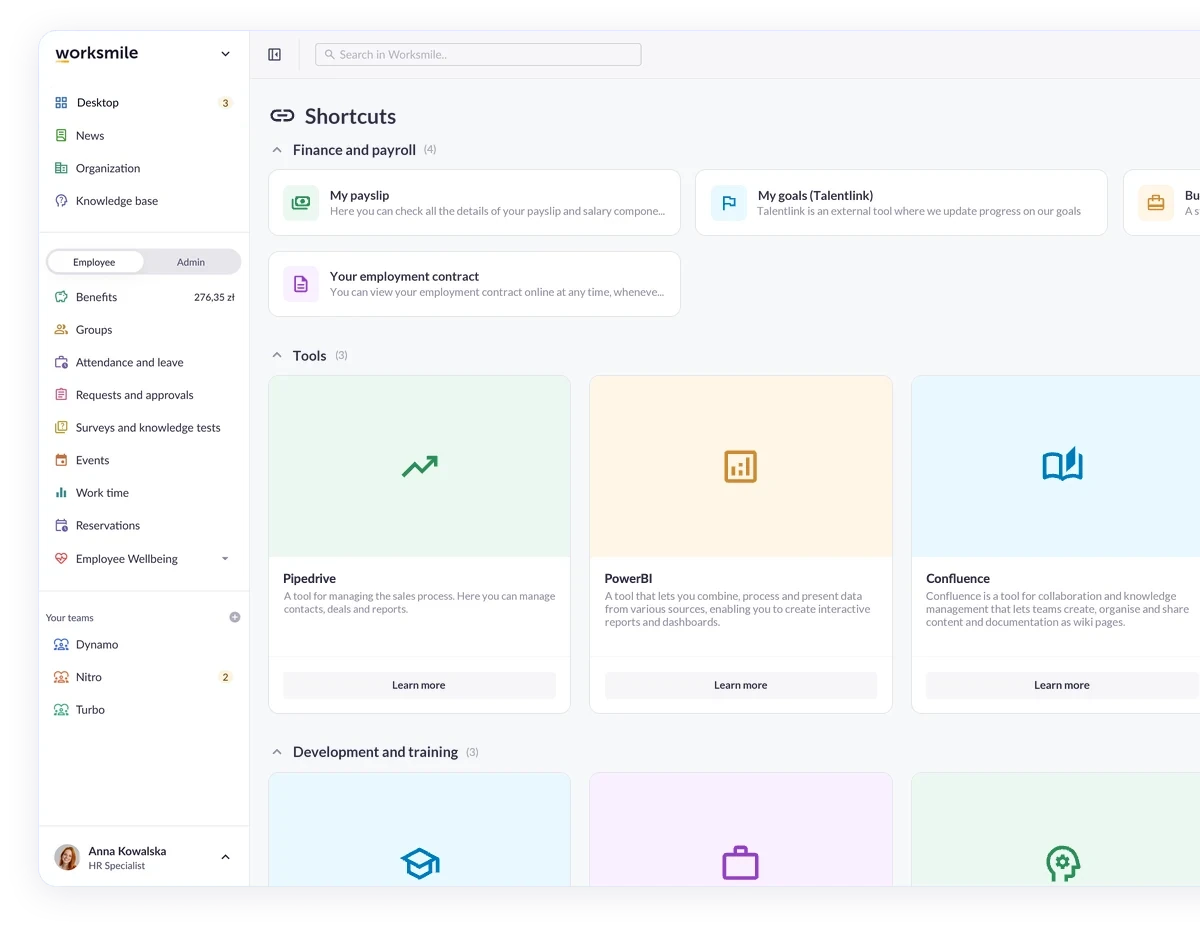
Shortcuts in the Worksmile app – links to tools grouped into the Finance and payroll, Tools, and Development and training categories

Business outcomes you will see quickly

We support HR and team managers while caring for the experience of 100% of employees –⁠ across the entire employee lifecycle

One starting point for work

Company tools and systems without digging through emails and browser bookmarks.

Content tailored to the audience

Employees see the shortcuts for their group, e.g. their department or form of cooperation.

One up-to-date version of each link

A change made once reaches all recipients.

Changes without tickets or implementation projects

HR arranges pages, categories and shortcuts on its own after switching the menu to the administrator perspective.

Link to a tool or a Worksmile section

An external tool or a Worksmile section

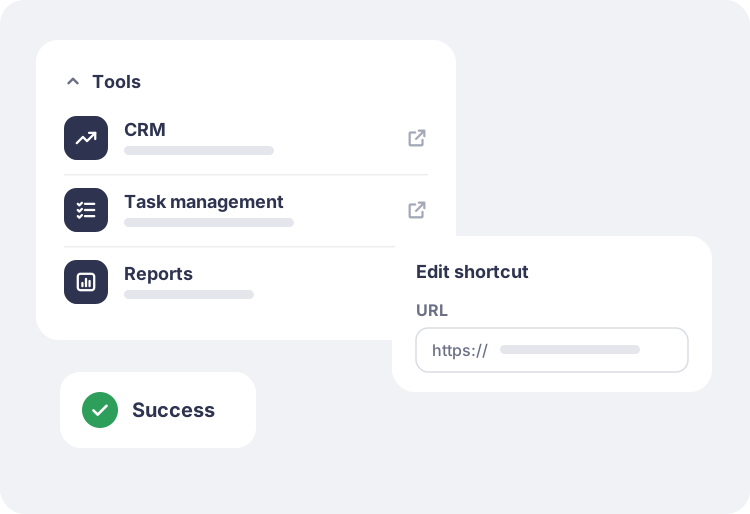
A shortcut leads to a CRM, a task management system, BI reports or a selected section of the platform. A title, a short description and an icon or custom image show right away where the employee will go.
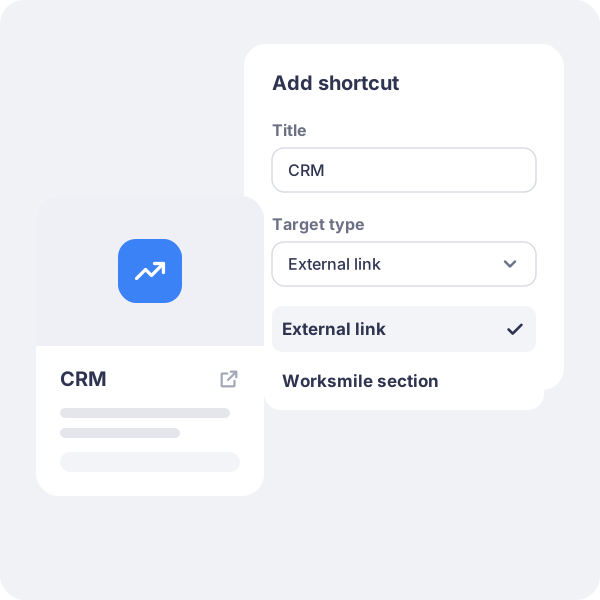
Form for adding a shortcut with a choice of target type: external link or Worksmile section

Visibility by group

Visibility by audience group

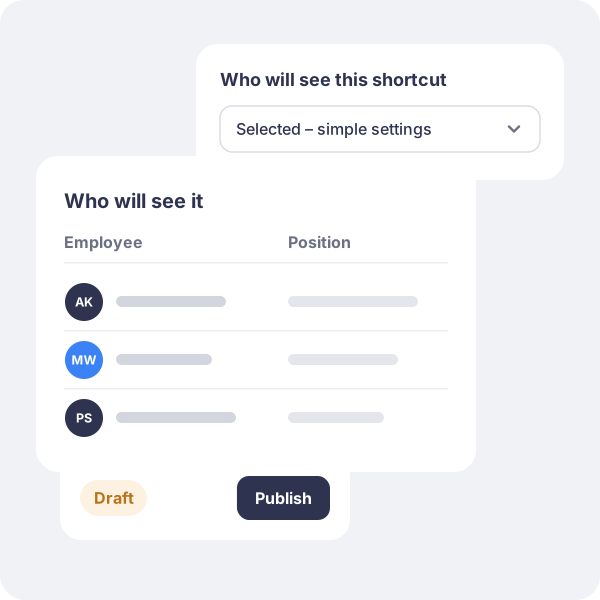
A shortcut goes to everyone or to a selected group, e.g. sales materials only to the Sales department. Visibility is based on profile data, and before publishing HR checks by name who will see the shortcut.

Shortcut visibility settings by audience group with a named list of people who will see it

How do companies use Shortcuts?

The Tools category in Shortcuts with shortcuts to the CRM, task management system and reports, and editing a shortcut’s URL

Company tools instead of a list of links in an email

A compact category brings together the CRM, the task management system and reports on a single screen.

Result: employees start their day in Worksmile, and HR updates a link once instead of sending a correction to everyone.

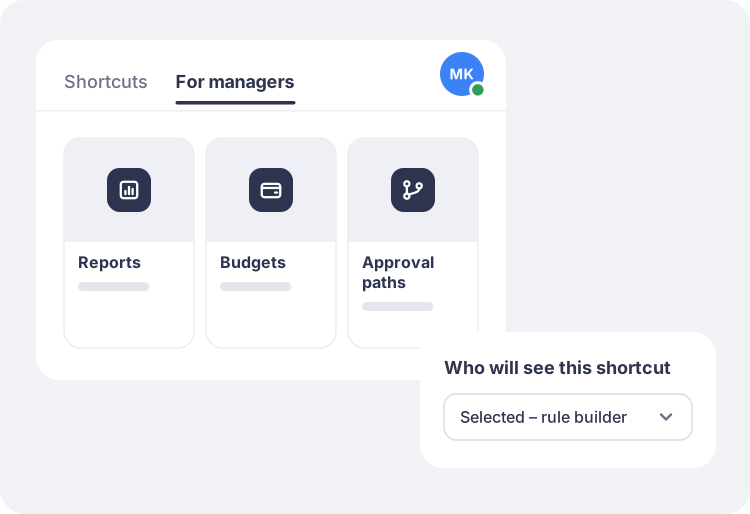
The “For managers” Shortcuts page with reports, budgets and approval paths, visible only to selected people

Resources for managers only

A separate page with reports, budgets and approval paths, visible only to people who meet the rules.

Result: managers have their tools at hand, and other employees do not see content that is not relevant to them.

Who is it for? For HR, managers and employees

HR:

links to tools and systems organized by audience and topic. Full control over who sees what, before anything is published. HR makes changes independently, without tickets or implementation projects.

Manager:

the team uses the same up-to-date links to tools, so the manager does not have to send them out again after every change.

Employee:

only the shortcuts that are relevant to them, grouped into categories and tabs. Less searching, more time for work.

Trusted by over 360 clients and 200,000 employees

A platform people actually use –⁠ which is why HR projects deliver real results

Click a customer logo with a case study to read the implementation story. All case studies →

Want to know more about our platform?

See the answers to the most frequently asked questions, and if you want to learn more, click the “Book a demo” button

How does Worksmile increase organizational efficiency?

Worksmile lets companies choose only the features they actually need and adapt them to their existing processes, instead of forcing the organization to work according to a rigid system. As a result, HR, communication and benefits processes become faster, simpler and more predictable.

The platform connects many areas horizontally –⁠ HR processes, internal communication and benefits management –⁠ consolidating them into one coherent tool. This eliminates tool chaos and data fragmentation, while also delivering financial savings.

  • HR and managers are genuinely relieved of operational work thanks to a single panel for working with the team and HR processes.

  • Employees no longer search for information in emails, files and several systems –⁠ everything they need is in Worksmile.

  • The management board and decision-makers gain consistent data on how the organization operates, enabling them to better assess performance and build forecasts that support business decisions in the years ahead.

The result: less manual work, fewer tools, less chaos –⁠ more control, speed and better decisions.

How does Worksmile support the HR department in operational work?

The HR Panel is the central place for managing the organizational structure, employment history, employee data, processes, documents, requests, communication, benefits and reports. HR gains one tool for end-to-end process control, which improves the quality of employee service, shortens turnaround times and reduces the risk of errors.

How does Worksmile support team managers in operational work?

The Manager Panel provides access to key team data, attendance, benefits data, requests, documents and processes. The manager gets one operational tool that increases their agency, speeds up decision-making, improves communication with the team and lets them lead it based on up-to-date data.

Is switching to Worksmile from another platform difficult?

No –⁠ migration follows a standardized process and is run by a dedicated team. Data, structures and history are transferred without disrupting the company’s work.

Does Worksmile integrate easily with our current tools?

Yes. A lightweight, well-documented API and ready-made integrations are available (SSO, HR and payroll systems, ATS, working time). The result: automatic data synchronization and elimination of manual work.

How does Worksmile ensure employee data security?

The platform uses data encryption, RBAC, audit logs and hosting in certified data centers, and is compliant with GDPR and ISO –⁠ minimizing legal and operational risks.

How is Worksmile different from an HR and payroll system?

HR and payroll systems are essential for settlements, payroll and formal and legal obligations. Worksmile operates one layer above –⁠ it supports the everyday work of HR, managers and employees, where organizational efficiency is actually created.

Worksmile:

  • organizes and automates HR processes (onboarding, offboarding, documents, consents, requests, surveys, performance reviews),

  • centralizes and streamlines internal communication,

  • manages employee benefits,

  • gives managers and HR one operational tool for working with the team,

  • provides consistent data and reports that support management decisions.

The HR and payroll system and Worksmile do not compete with each other –⁠ they complement each other.
Thanks to integration (API / SSO), data is synchronized and the company gains:

  • less manual work,

  • fewer errors,

  • better information flow,

  • greater process transparency.

The result: HR and payroll handle settlements, while Worksmile genuinely improves how the organization works day to day.

How does Worksmile help reduce the cost of multiple HR tools?

It replaces several separate systems with one ecosystem, lowering licensing, implementation and administrative costs.