How many hours a week does your HR team lose to manual work? Find out in a free survey (in Polish) →START >>>

Knowledge Base + AI Assistant

Build your organization's knowledge and shorten the queue of questions to HR

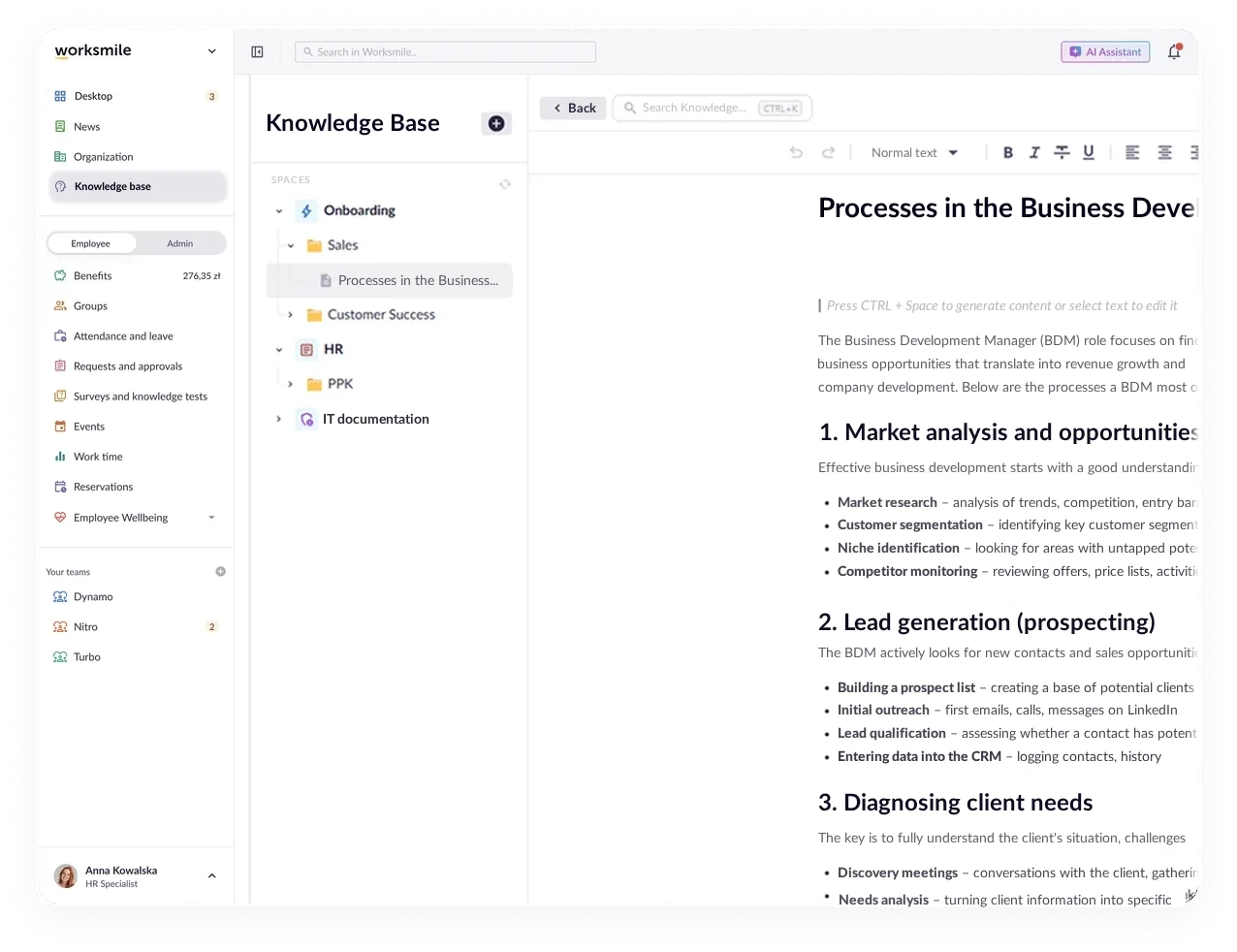
Worksmile organizes company knowledge in a clear structure of spaces, folders and documents –⁠ policies, procedures and onboarding materials in one place. The AI Assistant answers employee questions based on published content, so HR and IT no longer have to explain the same thing over and over again.

Worksmile on G2: 121 reviews, 4.5 rating
Worksmile app – Knowledge Base and AI Assistant

Business results you will see quickly

We support HR and team managers while taking care of the experience of 100% of employees –⁠ across the entire employee lifecycle

Fewer questions to HR

Employees find answers to recurring questions on their own. Internal teams answer the same messages less often.

Faster and more effective onboarding

New hires have access to procedures and instructions from day one –⁠ without a series of onboarding emails or explaining the same thing with every new hire.

A single source of truth

Every policy and procedure has one owner and one current version –⁠ no conflicting edits sent around by email.

Answers instead of searching

Employees ask in their own words, and the AI Assistant points to the answer based on published documents –⁠ without browsing a tree of articles.

Knowledge Base

Organized knowledge, available to every employee

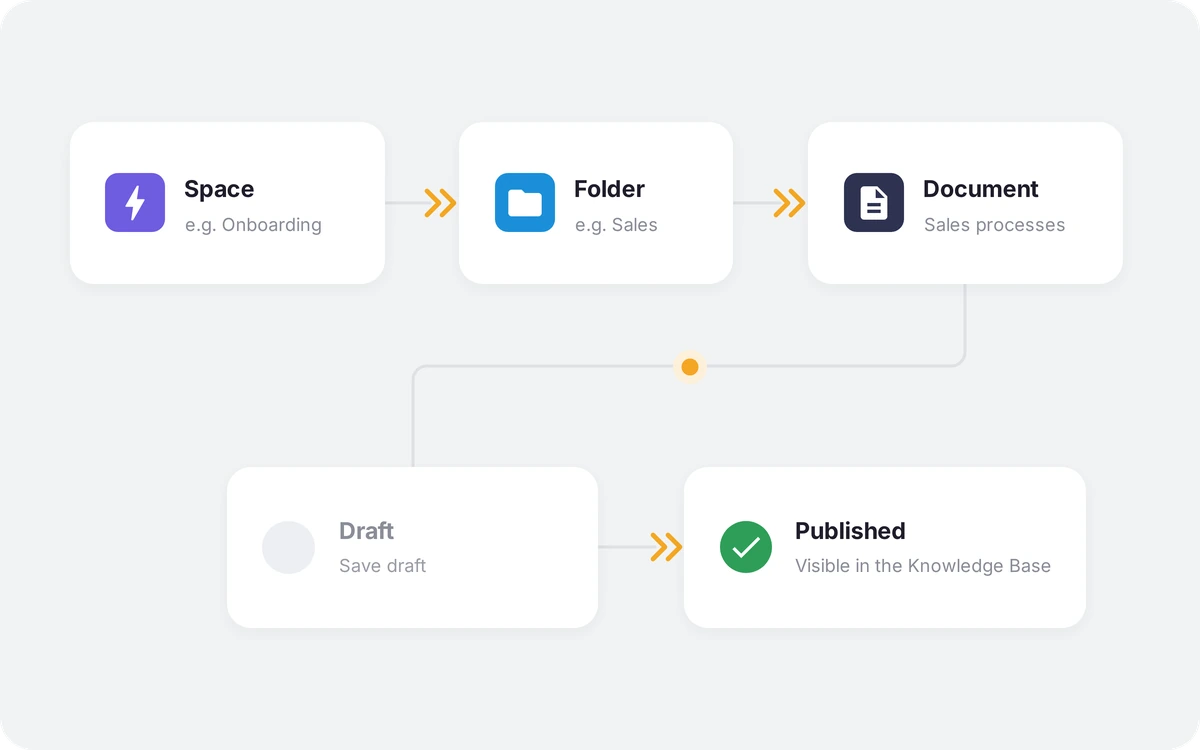
The organization stores procedures, policies and onboarding materials in a clear structure: space → folder → document. The administrator decides who can see and edit each space –⁠ by department, location, company, position or type of employment.
See it in a demo: Organized knowledge, available to every employee
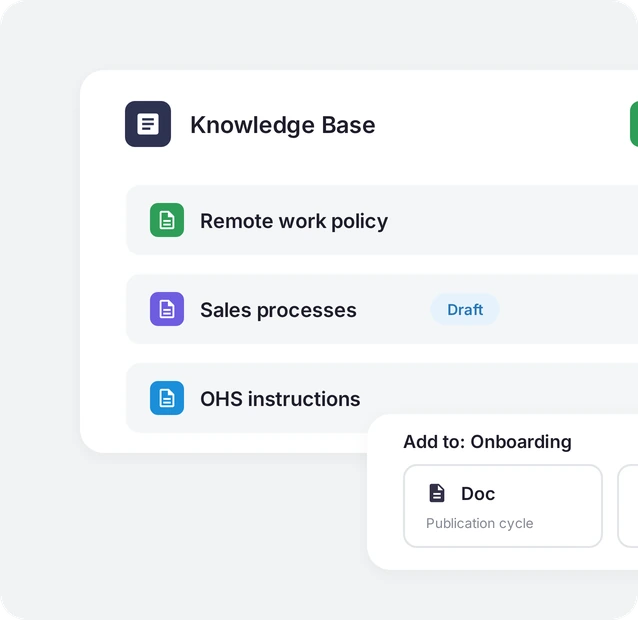
Knowledge Base card listing the Remote work policy, Sales processes (draft) and OHS instructions documents, with an “Add to: Onboarding” panel.

Search and linking

An answer to your query

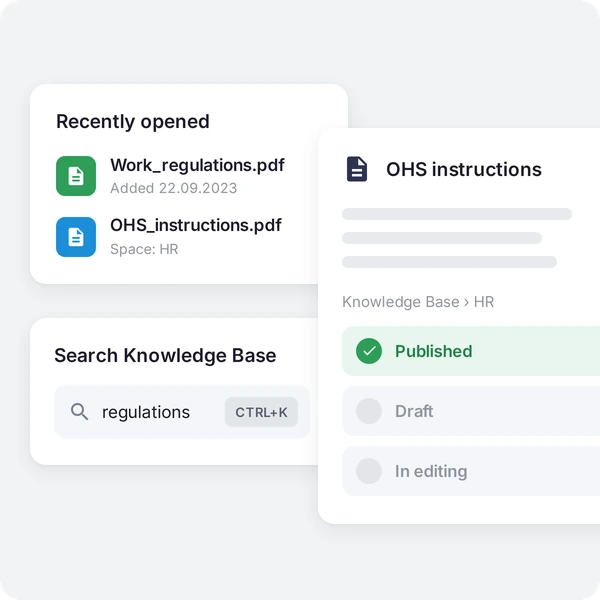
The search engine looks through documents by title and content, and internal links connect related procedures instead of duplicating the same information in several places.

See it in a demo: An answer to your query
Recently opened documents, Knowledge Base search with the query “regulations”, and the OHS instructions document with Published, Draft and In editing statuses.

AI Assistant

Asking instead of searching

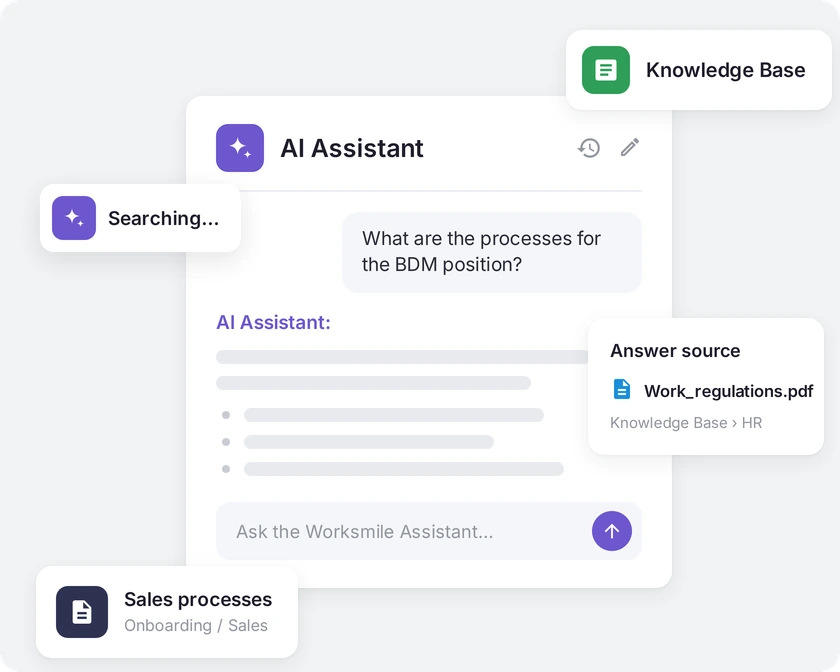
An employee asks a question in their own words in the chat, and the AI Assistant helps find the answer in company documentation published in the Knowledge Base: procedures, policies and onboarding materials. It only uses documents the employee has access to. Repetitive questions land in the HR inbox less often, and employees get to the information they need faster.

See it in a demo: Asking instead of searching
AI Assistant window answering a question about the processes for the BDM position, with the answer source from the Knowledge Base.

How companies use our solution

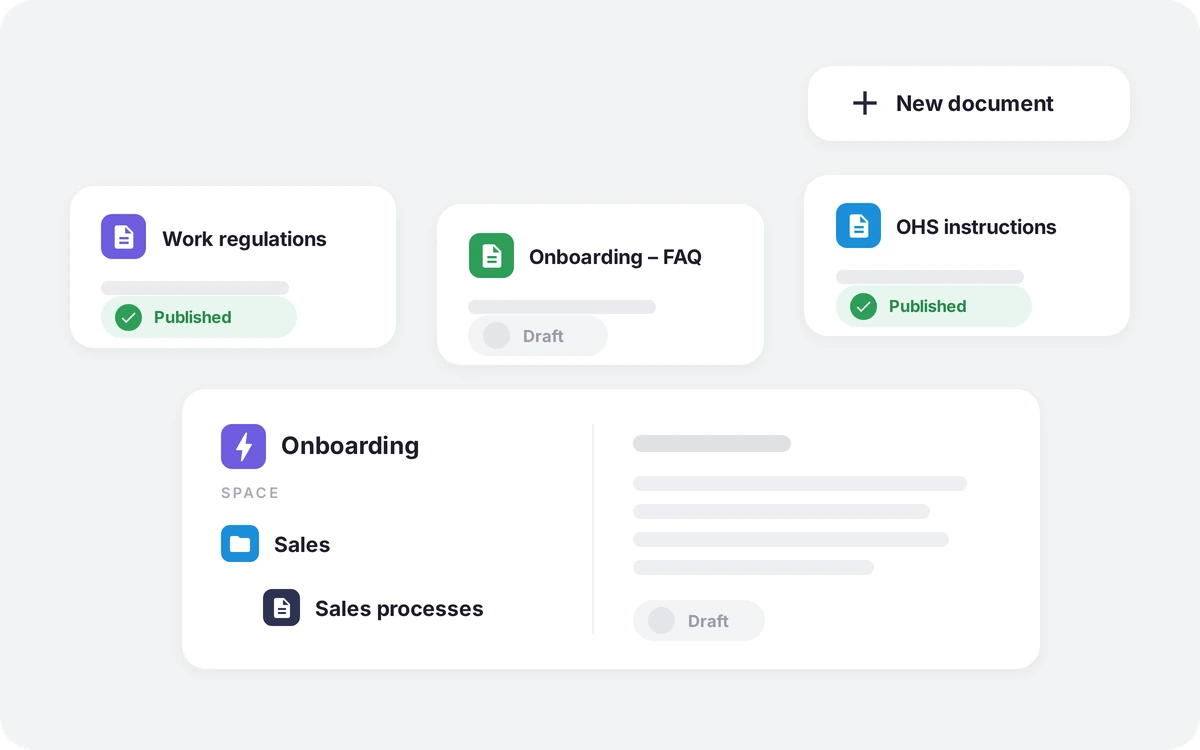
Knowledge Base document cards with Published and Draft statuses, and the Onboarding space with the Sales folder and the Sales processes document.

Onboarding without a series of emails

HR, IT and managers update content in one place instead of emailing new versions around.

Result: no risk of an employee coming across an outdated document.

Knowledge Base structure diagram: space, folder and document, followed by the step from draft to a published document.

Fewer questions to HR teams

Employees ask the AI Assistant about leave rules, expense settlements or purchasing procedures instead of writing to HR and administration.

Result: fewer repetitive requests, more time for strategic work.

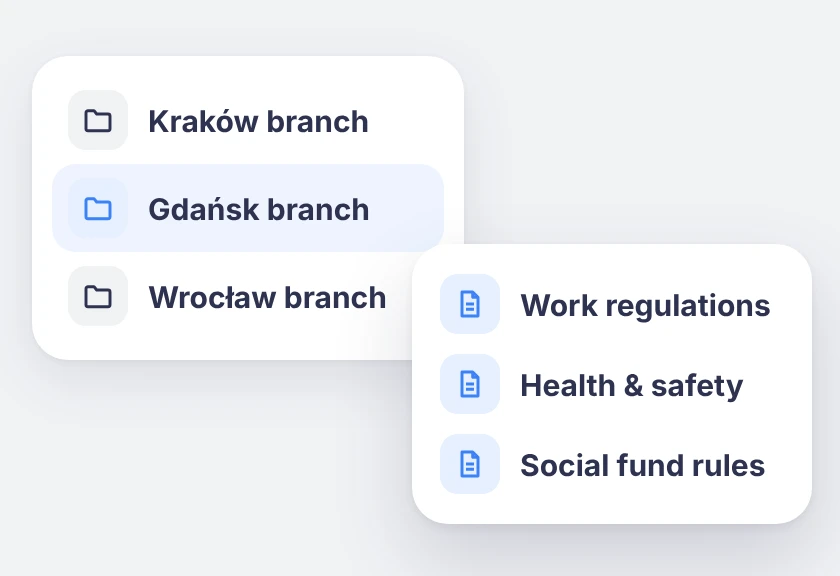
Knowledge Base spaces for the Kraków, Gdańsk and Wrocław branches; the selected Gdańsk branch contains Work regulations, Health & safety and Social fund rules.

Different policies for each branch in one knowledge base

Each branch has its own space with policies and procedures. Employees see only the documents for their location, department or company, while HR manages everything in one Knowledge Base.

Result: nobody ends up reading another branch's policy, and the company maintains one knowledge base instead of several.

Who is it for? For HR, Managers and Employees

We support HR and team managers while taking care of the experience of 100% of employees –⁠ across the entire employee lifecycle

HR:

one place to publish and update mandatory content, fewer repeated questions, full control over who can see and edit content.

Manager:

procedures and work standards to refer the team to, instead of explaining them from scratch every time.

Employee:

an instant answer, without having to know the Knowledge Base structure or email HR.

Trusted by more than 360 clients and 200,000 employees

A platform people actually use, which is why HR projects deliver real results

Click a customer logo with a case study to read the implementation story. All case studies →

Want to know more about our platform?

See the answers to the most frequently asked questions, and if you want to learn more, click the “Book a demo” button

How does Worksmile increase organizational efficiency?

Worksmile lets companies choose only the features they actually need and adapt them to their existing processes, instead of forcing the organization to work according to a rigid system. As a result, HR, communication and benefits processes become faster, simpler and more predictable.

The platform connects many areas horizontally –⁠ HR processes, internal communication and benefits management –⁠ consolidating them into one coherent tool. This eliminates tool chaos and data fragmentation, while also delivering financial savings.

  • HR and managers are genuinely relieved of operational work thanks to a single panel for working with the team and HR processes.

  • Employees no longer search for information in emails, files and several systems –⁠ everything they need is in Worksmile.

  • The management board and decision-makers gain consistent data on how the organization operates, enabling them to better assess performance and build forecasts that support business decisions in the years ahead.

The result: less manual work, fewer tools, less chaos –⁠ more control, speed and better decisions.

How does Worksmile support the HR department in operational work?

The HR Panel is the central place for managing the organizational structure, employment history, employee data, processes, documents, requests, communication, benefits and reports. HR gains one tool for end-to-end process control, which improves the quality of employee service, shortens turnaround times and reduces the risk of errors.

How does Worksmile support team managers in operational work?

The Manager Panel provides access to key team data, attendance, benefits data, requests, documents and processes. The manager gets one operational tool that increases their agency, speeds up decision-making, improves communication with the team and lets them lead it based on up-to-date data.

Is switching to Worksmile from another platform difficult?

No –⁠ migration follows a standardized process and is run by a dedicated team. Data, structures and history are transferred without disrupting the company’s work.

Does Worksmile integrate easily with our current tools?

Yes. A lightweight, well-documented API and ready-made integrations are available (SSO, HR and payroll systems, ATS, working time). The result: automatic data synchronization and elimination of manual work.

How does Worksmile ensure employee data security?

The platform uses data encryption, RBAC, audit logs and hosting in certified data centers, and is compliant with GDPR and ISO –⁠ minimizing legal and operational risks.

How is Worksmile different from an HR and payroll system?

HR and payroll systems are essential for settlements, payroll and formal and legal obligations. Worksmile operates one layer above –⁠ it supports the everyday work of HR, managers and employees, where organizational efficiency is actually created.

Worksmile:

  • organizes and automates HR processes (onboarding, offboarding, documents, consents, requests, surveys, performance reviews),

  • centralizes and streamlines internal communication,

  • manages employee benefits,

  • gives managers and HR one operational tool for working with the team,

  • provides consistent data and reports that support management decisions.

The HR and payroll system and Worksmile do not compete with each other –⁠ they complement each other.
Thanks to integration (API / SSO), data is synchronized and the company gains:

  • less manual work,

  • fewer errors,

  • better information flow,

  • greater process transparency.

The result: HR and payroll handle settlements, while Worksmile genuinely improves how the organization works day to day.

How does Worksmile help reduce the cost of multiple HR tools?

It replaces several separate systems with one ecosystem, lowering licensing, implementation and administrative costs.