
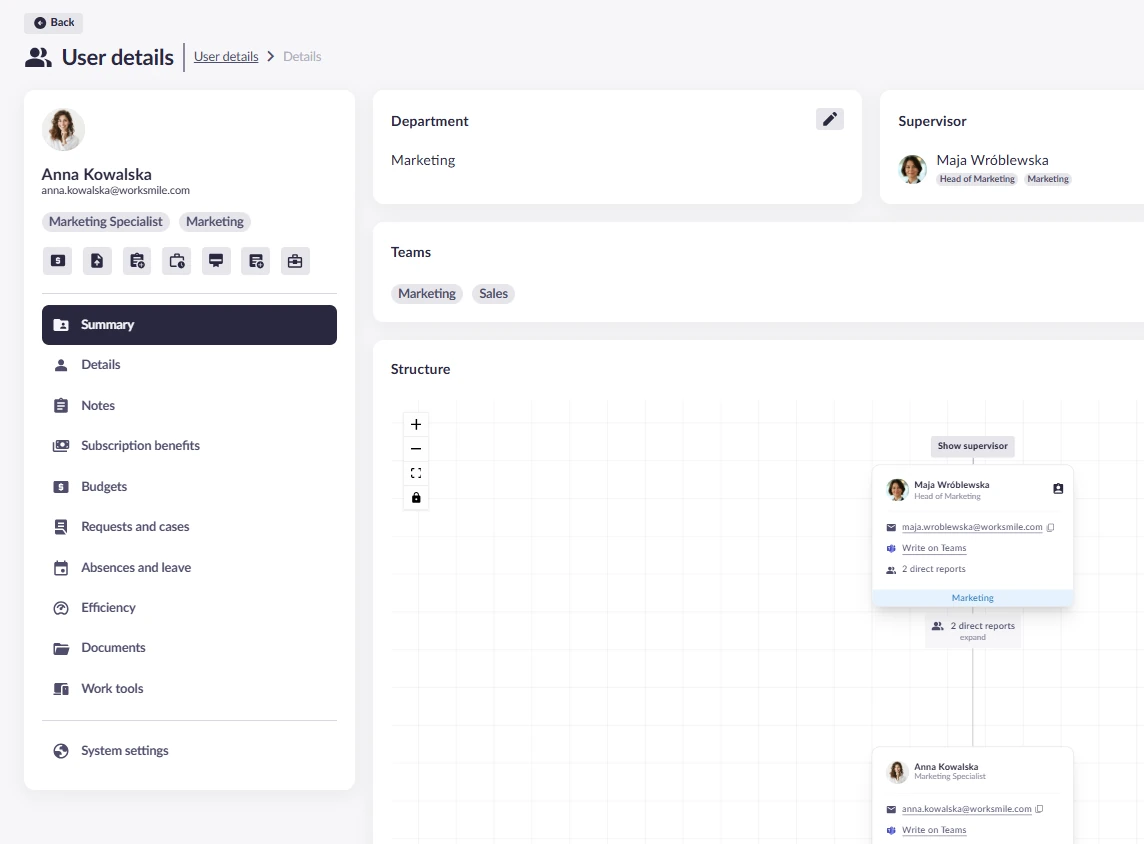
Employee records and organization
Up-to-date data on every employee in one place
Employee data in one consistent system – from personal information and employment history to the organizational structure. One source of information for HR and managers and the foundation the whole platform runs on.
A core feature – the employee database, organizational structure and person card are always included in Worksmile Core.
All employee data in one place
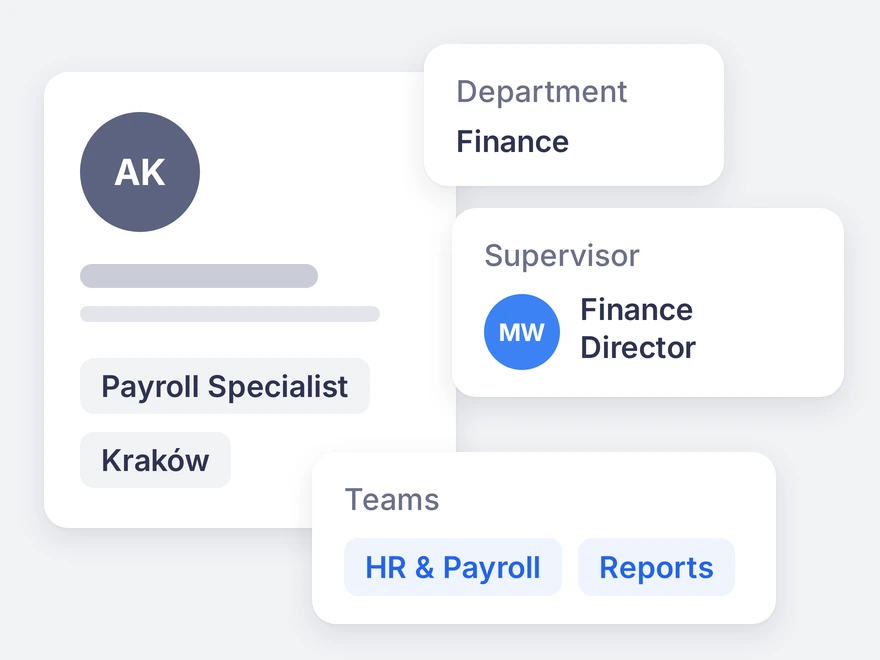
Use one unified system that gathers key employee data. HR and managers work on the same information – always up to date, without duplicates or discrepancies between tools. An employee profile includes:
- personal and contact details and employee number,
- job title and level, department, supervisor and teams,
- employment type and location,
- custom fields defined by your company.
Central employee database
One point of reference for HR and managers – key data about every employee in one system.
Employment history
Promotions, job changes and transfers between teams and projects build a clear employment history – without manual updates in many places.
Contact details
Easy access to employees’ contact details (email address, phone number) from within the Platform.
Data entered once works across the whole platform
When data lives in several tools, every change of job title or department means separate work – and all of it ends up on HR’s desk. In Worksmile, every field in the profile has a specific job, and the more complete the profile, the more processes run automatically.
Department
Announcements and surveys reach the departments they concern instead of going to everyone “just in case”. Leave rules can be set per department.
Supervisor and team
Request approval paths, the Manager Panel with team requests, absences and budgets, and supervisor–employee and 360° reviews.
Job title and level
Competencies assigned to job titles, job evaluation and pay grades.
Employment type
Benefit access for B2B contractors, Total Rewards Statement visibility and leave rules by contract type – without manual segmentation.
Location
Announcements and benefits for a given location, onboarding variants and leave pools per branch.
Employment dates
Tenure and turnover in reports, and deactivation of former employees’ accounts with the HR system integration.
Data reaches Worksmile the way that suits you
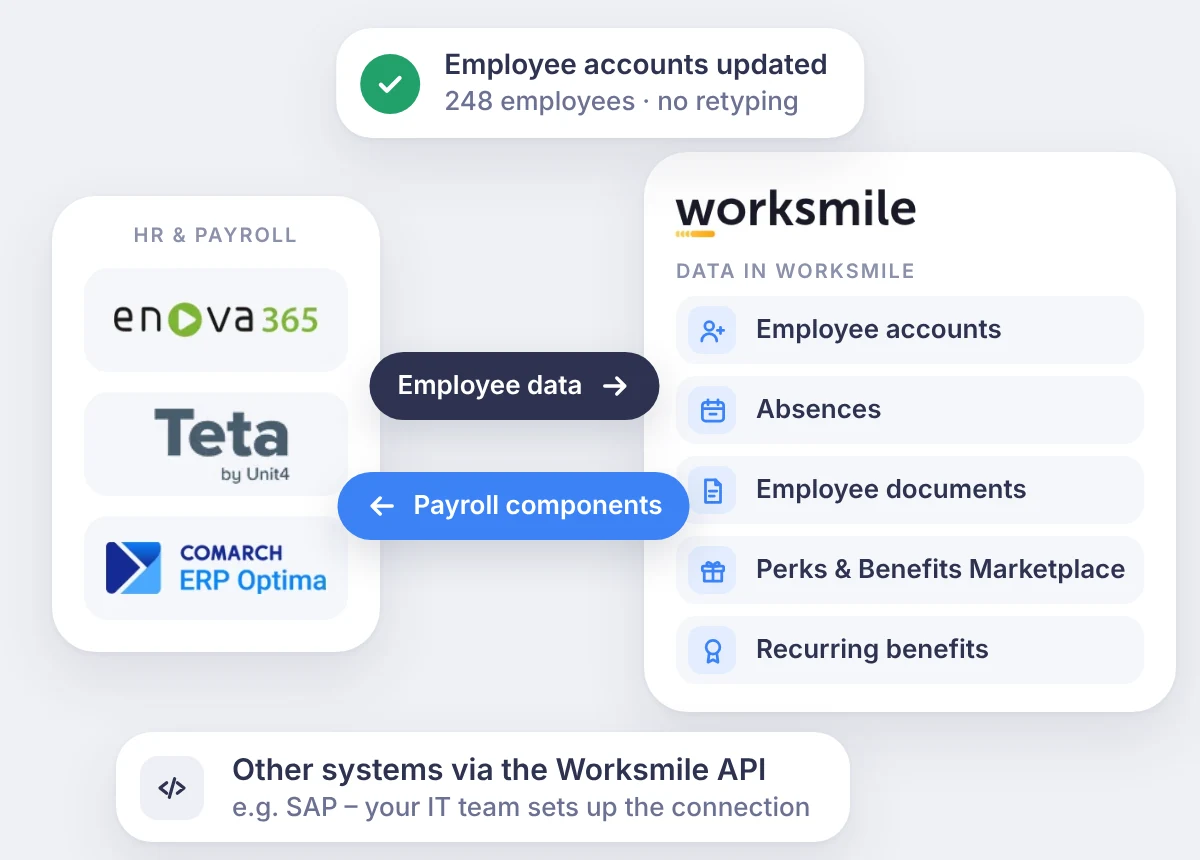
We match the data source to your systems and scale – from automatic synchronization with HR and payroll to manual management in the platform.
Management in the platform
After switching the menu to the administrator perspective, the administrator adds users and manages departments, teams, job titles and custom fields.
File import
Bulk adding and updating of users from a file.
HR and payroll system
Ready-made plugins for enova365, Comarch ERP Optima and Teta – accounts update automatically.
Open REST API
Connect any system, e.g. SAP – employee and structure data without manual transfers.
Integrations and plugins
HR records stay the source of data, Worksmile runs on them
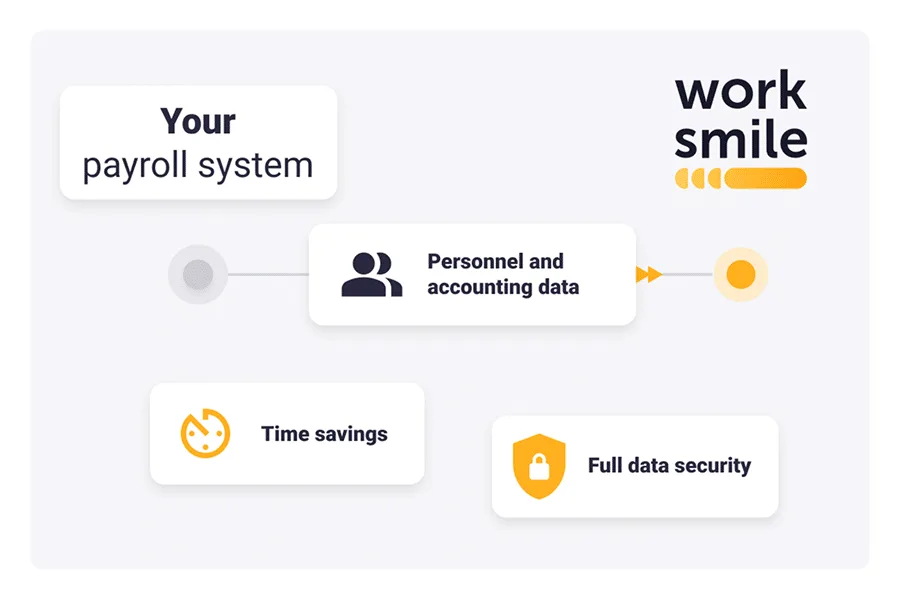
The integration is two-way and the roles are clearly split: the HR and payroll system handles settlements, while Worksmile handles the everyday matters of employees, managers and HR – on desktop and in the mobile app. The administrator sets the scope and frequency of synchronization.
Accounts are created and closed automatically
New accounts are created from the records in the HR system – skipping archived employees and people excluded from the integration. Former employees are deactivated based on their employment end date.
Job title and department changes without file imports
Departments, employment types and job titles map to the matching entries in Worksmile – no manual fixes.
Benefits go straight to payroll
Payroll components from used benefits reach the HR and payroll system without retyping.
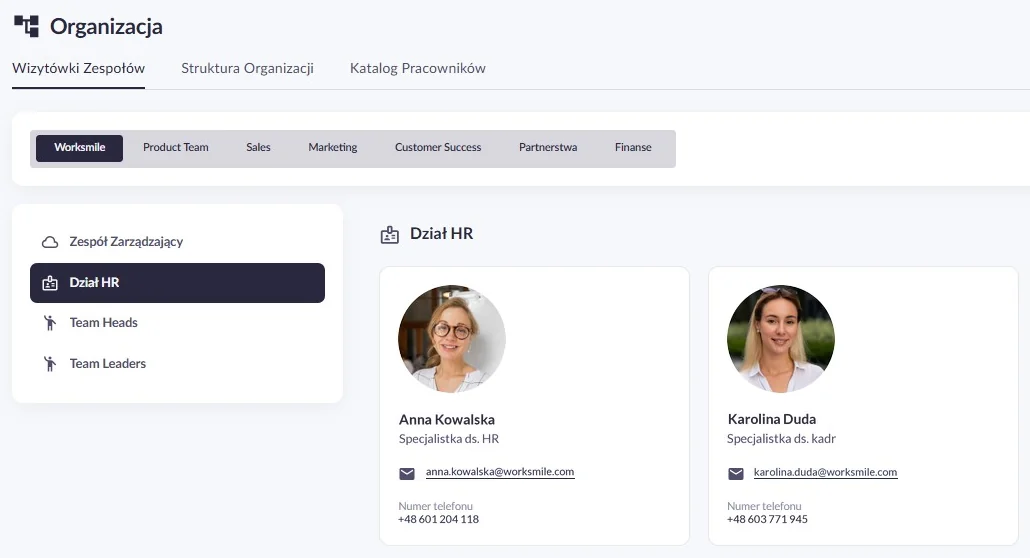
Organizational structure and the Organization view
Build an up-to-date organizational structure without manual updates in many places and make it easy for everyone to navigate the company – who works in which team and what role they play.
The structure shows who reports to whom, but it does not always cover the full board, project teams or groups of experts. In the Organization view, HR can show every group of employees and associates, and everyone quickly finds the person they can turn to – on desktop and in the mobile app.
Organizational structure
Gives easy access to information about the company’s internal and team structures.
Employee list
Makes it easy to navigate the company structure and find information about employees and their role in the organization.
Employee business cards and profiles
Make internal communication faster and more effective thanks to easily accessible employee contact details.
Team presentation builder
Show any group of people – the board, a project team or experts – in the order you choose, with business cards that say who is who and what they are responsible for.
The same view on web and mobile
The same tabs on desktop and in the mobile app (iOS and Android). Administrators decide their names and order.
Person card with a link to the profile
A person’s details in one place and one click to their full profile.
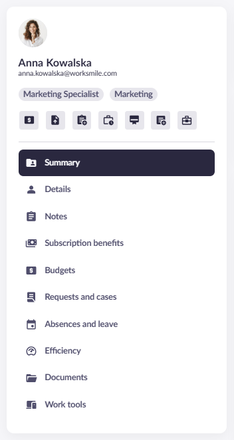
Person card – the full context in one place
All key information about an employee in one place. HR and managers see not only the job title and dates, but the employee’s full history – hard data and qualitative context side by side.
1:1 agreements, development plans and HR information no longer get lost in private documents and emails. Knowledge stays in the organization even when the manager or HRBP changes.
Data, history and reminders in one view
Personal data, employment history and place in the structure – next to notes and agreements. Reminders (e.g. about occupational health and safety (OHS) training or an expiring contract) let you act before a matter becomes urgent.
Notes with visibility control
1:1 agreements and development plans saved with the employee. Every note has a visibility level – HR, manager or employee – and an audit trail, so confidential information reaches only the right people.
Quick actions without switching tabs
Granting an allowance, assigning a document, a benefit or a work tool, an absence request or a new note – straight from the profile. Available actions depend on the modules active in your company.
The same data, a different benefit for every role
HR
A full picture of every employee, less manual work and real support for managers with concrete data.
Manager
Sees the context before a 1:1 – requests, absences and notes. Decisions are made faster.
Employee
Less chaos in formal matters and quick access to the right person in the structure – also from the mobile app.
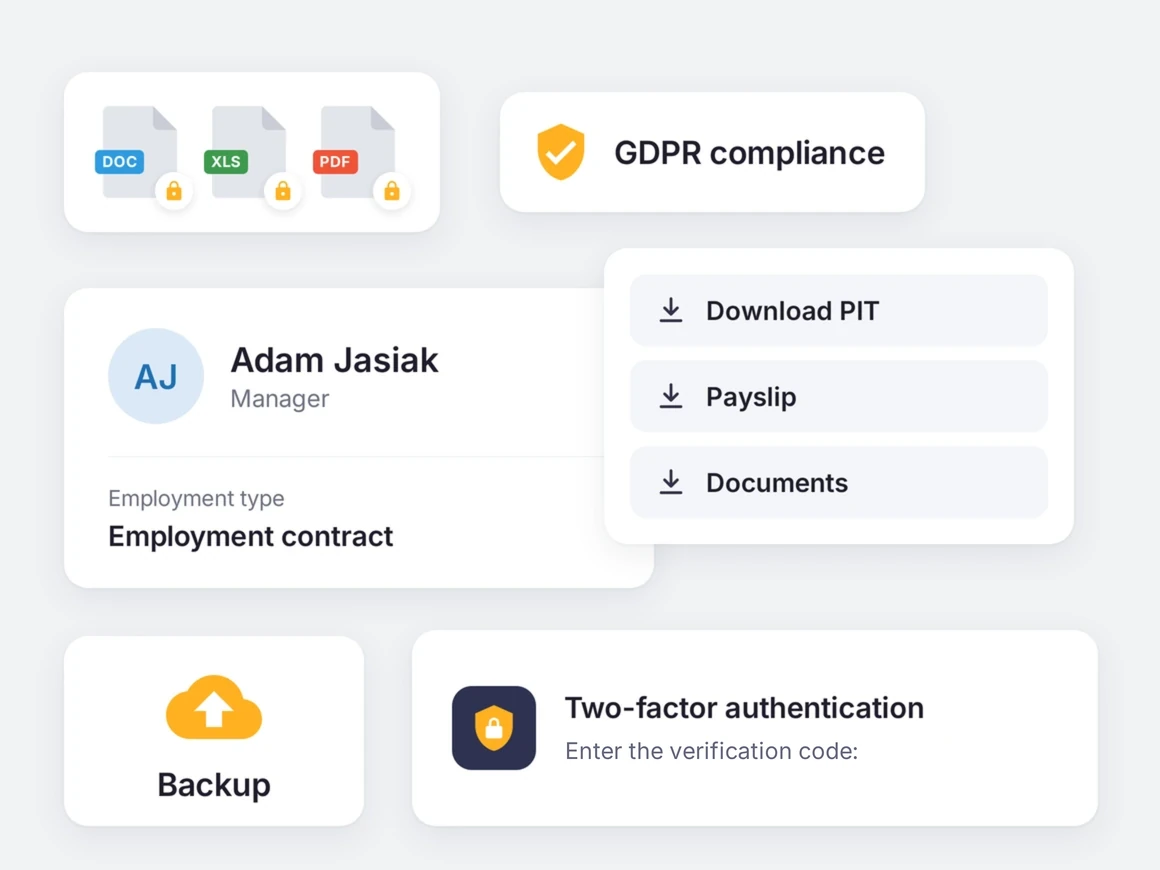
Employee data protected at every stage
- ISO/IEC 27001:2022 certification confirmed by an independent, accredited body.
- GDPR compliance – transparent processing rules and control over permissions.
- Data encryption – TLS 1.2 in transit and AES-256 at rest.
- Roles and audit logs – role-based access control (RBAC) and a record of actions on the platform.
- SSO login with MFA – Microsoft Entra ID, Google Workspace, Okta, PingIdentity, JumpCloud.
- Only selected data from the HR system – the plugin shares selected data, without access to the HR system’s database.
Trusted by over 360 clients and 200,000 employees
A platform people actually use – which is why HR projects deliver real results


 Case Study





Click a customer logo with a case study to read the implementation story. All case studies →
Want to know more about our platform?
See the answers to the most frequently asked questions, and if you want to learn more, click the “Book a demo” button
How does Worksmile increase organizational efficiency?
Worksmile lets companies choose only the features they actually need and adapt them to their existing processes, instead of forcing the organization to work according to a rigid system. As a result, HR, communication and benefits processes become faster, simpler and more predictable.
The platform connects many areas horizontally – HR processes, internal communication and benefits management – consolidating them into one coherent tool. This eliminates tool chaos and data fragmentation, while also delivering financial savings.
HR and managers are genuinely relieved of operational work thanks to a single panel for working with the team and HR processes.
Employees no longer search for information in emails, files and several systems – everything they need is in Worksmile.
The management board and decision-makers gain consistent data on how the organization operates, enabling them to better assess performance and build forecasts that support business decisions in the years ahead.
The result: less manual work, fewer tools, less chaos – more control, speed and better decisions.
How does Worksmile support the HR department in operational work?
The HR Panel is the central place for managing the organizational structure, employment history, employee data, processes, documents, requests, communication, benefits and reports. HR gains one tool for end-to-end process control, which improves the quality of employee service, shortens turnaround times and reduces the risk of errors.
How does Worksmile support team managers in operational work?
The Manager Panel provides access to key team data, attendance, benefits data, requests, documents and processes. The manager gets one operational tool that increases their agency, speeds up decision-making, improves communication with the team and lets them lead it based on up-to-date data.
Is switching to Worksmile from another platform difficult?
No – migration follows a standardized process and is run by a dedicated team. Data, structures and history are transferred without disrupting the company’s work.
Does Worksmile integrate easily with our current tools?
Yes. A lightweight, well-documented API and ready-made integrations are available (SSO, HR and payroll systems, ATS, working time). The result: automatic data synchronization and elimination of manual work.
How does Worksmile ensure employee data security?
The platform uses data encryption, RBAC, audit logs and hosting in certified data centers, and is compliant with GDPR and ISO – minimizing legal and operational risks.
How is Worksmile different from an HR and payroll system?
HR and payroll systems are essential for settlements, payroll and formal and legal obligations. Worksmile operates one layer above – it supports the everyday work of HR, managers and employees, where organizational efficiency is actually created.
Worksmile:
organizes and automates HR processes (onboarding, offboarding, documents, consents, requests, surveys, performance reviews),
centralizes and streamlines internal communication,
manages employee benefits,
gives managers and HR one operational tool for working with the team,
provides consistent data and reports that support management decisions.
The HR and payroll system and Worksmile do not compete with each other – they complement each other.
Thanks to integration (API / SSO), data is synchronized and the company gains:
less manual work,
fewer errors,
better information flow,
greater process transparency.
The result: HR and payroll handle settlements, while Worksmile genuinely improves how the organization works day to day.
How does Worksmile help reduce the cost of multiple HR tools?
It replaces several separate systems with one ecosystem, lowering licensing, implementation and administrative costs.